




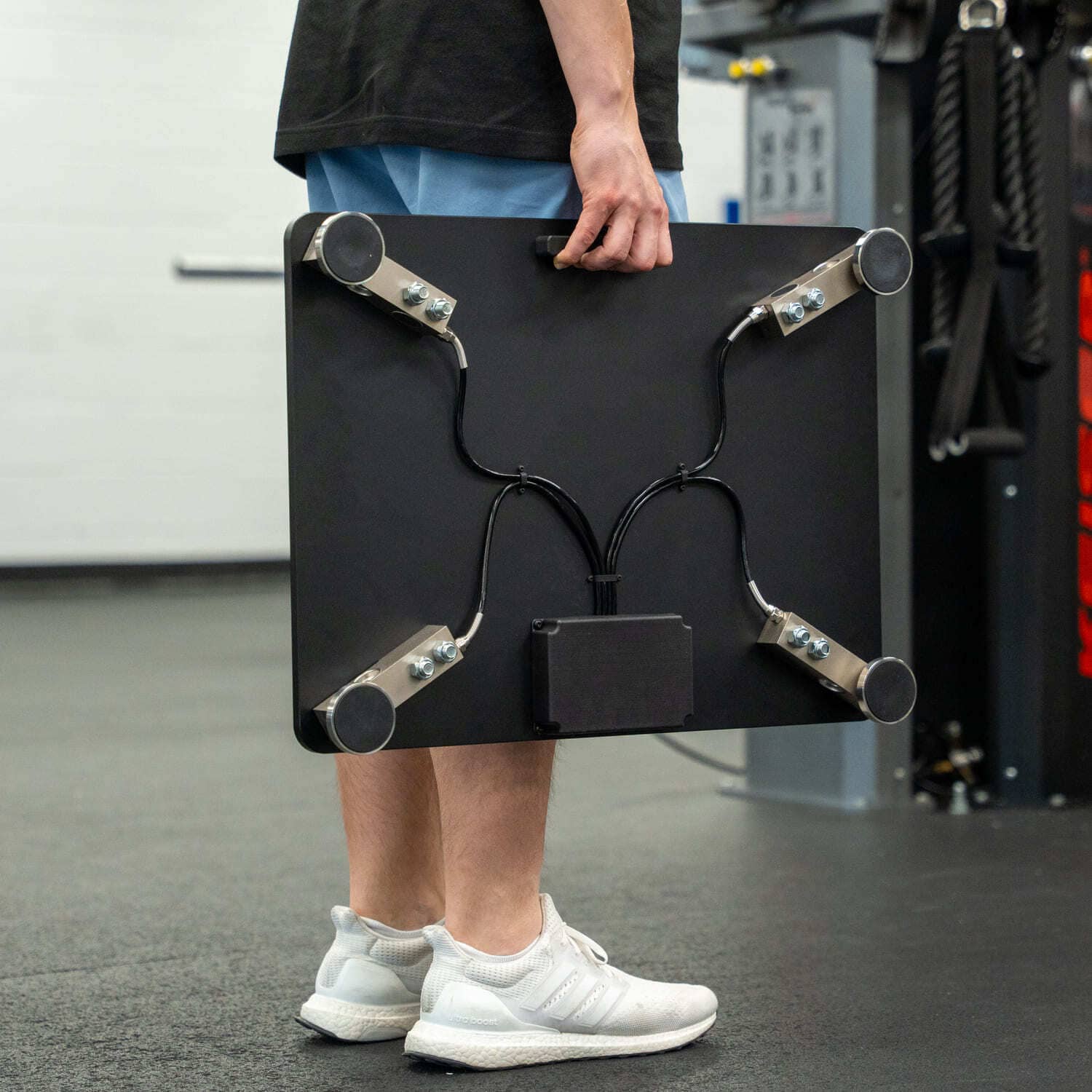
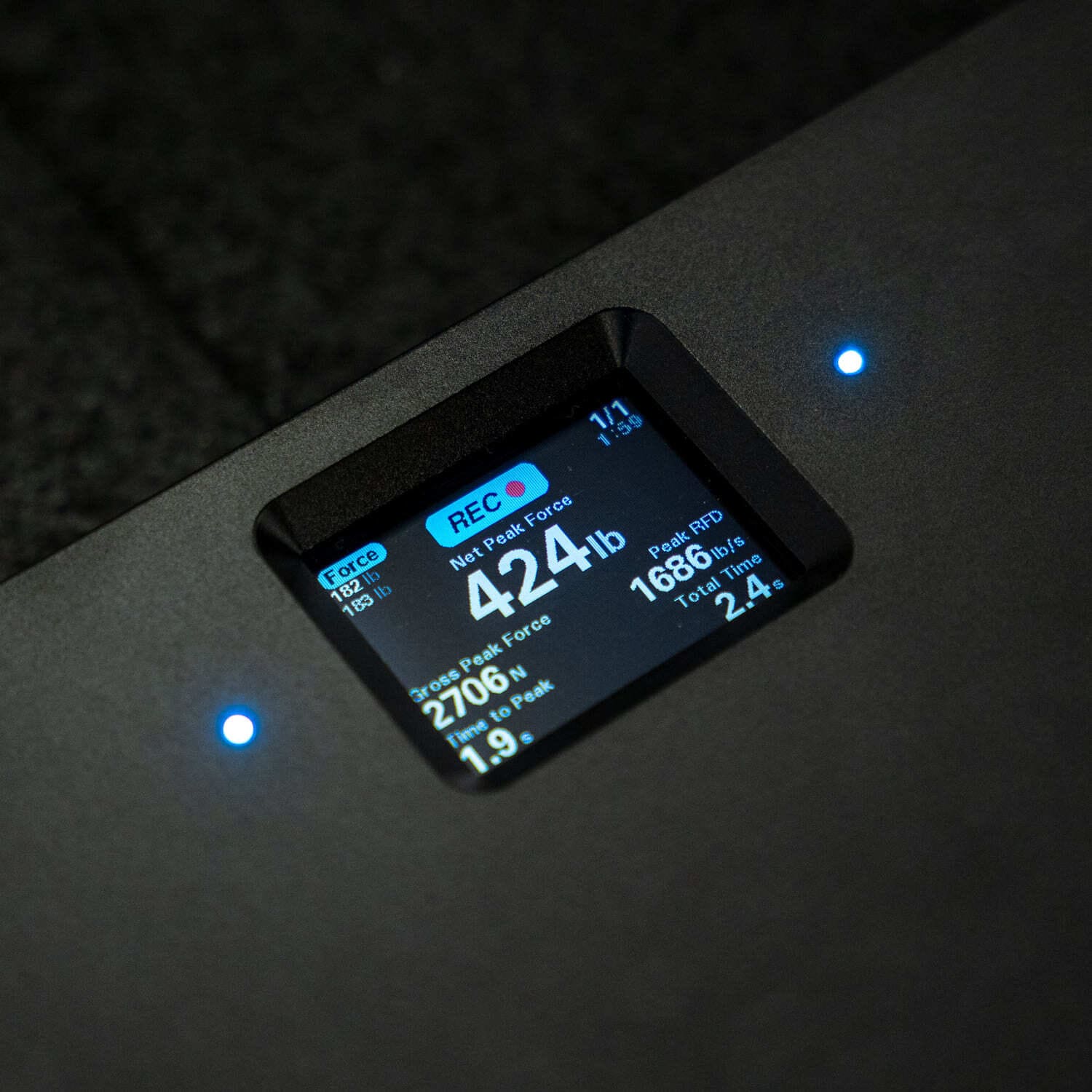
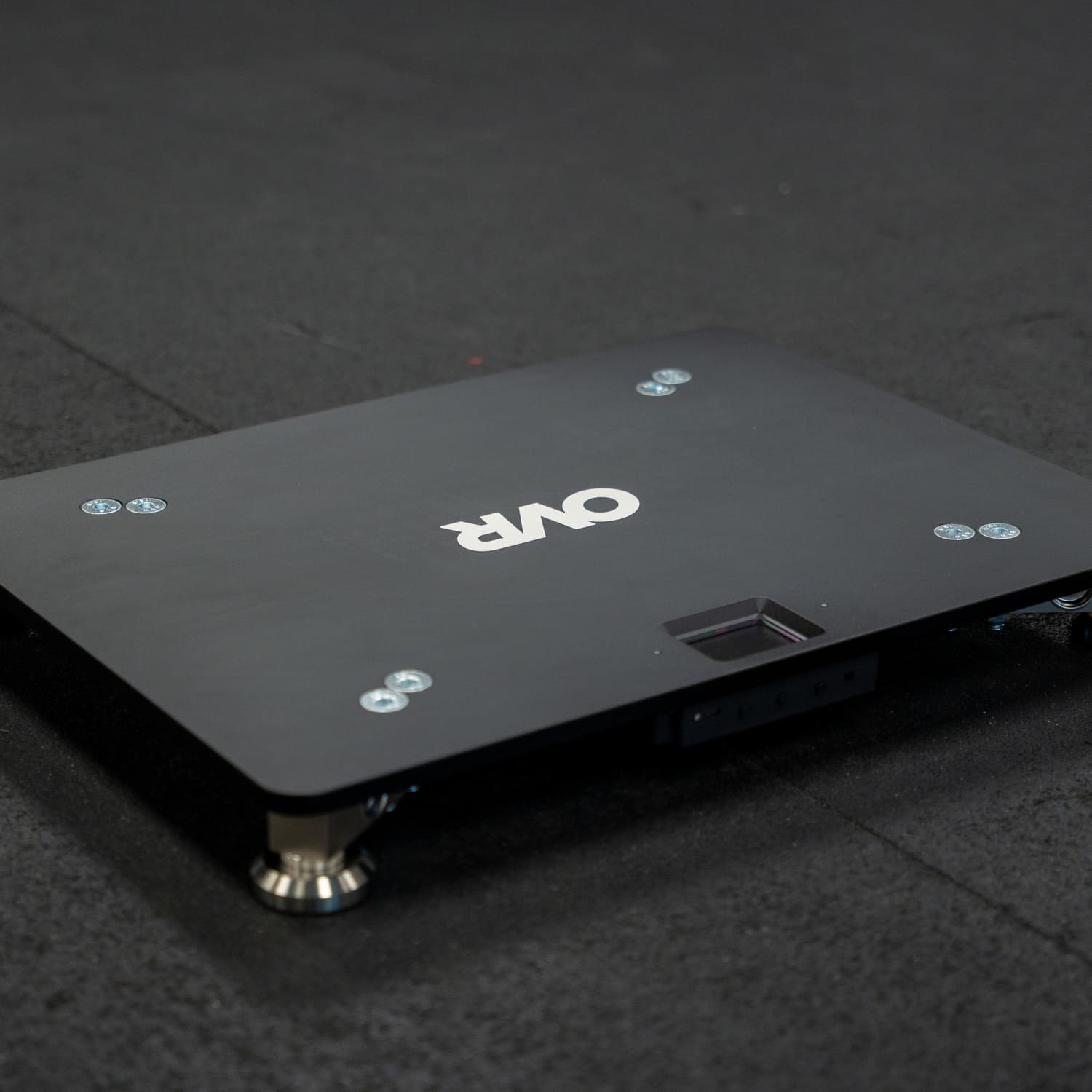
Most force plate systems ask a coach to connect a tablet, open software, calibrate, and assign an athlete before the first rep is ever recorded. The OVR Force cuts those steps out. It is a portable force plate that powers on, zeros itself, and reads the athlete's bodyweight the moment they step on. The result shows on a screen built into the plate the instant the rep ends, no tablet required. The calculation behind the number is the standard impulse-momentum analysis the lab systems use. What changes is how long it takes to get a reading.
The plate produces standard testing data: jump height, force, rate of force development, reactive strength, left-right asymmetry, to name a few. A coach who already tests verticals can read a jump height against the same vertical jump benchmarks they have always used. The plate calculates it from directly measured force, so the difference is setup time, not data quality.
Power on and zero the plate
Setup starts at the slide switch on the front edge of the plate. Flipping it on runs an automatic zero, so the plate sets its own baseline before anyone steps on. Before each session, and any time the plate gets moved, re-zero it by holding the Action button for about a second with nothing on the surface. A yellow icon spins while the device takes a thousand readings and checks they hold steady, then clears in a second or two if the plate is still.
That baseline matters more than it seems, as every rep that follows is measured from it. The plate samples a thousand times a second to catch the earliest, fastest part of the movement, where it calculates rate of force development [1]. Those numbers are read from the instant force starts to rise, so if the zero is off or unsteady, they are the first to skew. A clean zero keeps them honest.
The one mistake to avoid is zeroing against a moving target. If someone bumps the plate, leans a bar on it, or leaves a plate stack on the surface during the zero, the stability check fails and no new baseline is set. Clear the surface, hold still, run it again.
Pick the mode that matches the exercise
The OVR Force runs three modes, and the only per-session choice that matters is picking the one that fits your chosen exercise.
Force mode handles standing isometric work: the isometric mid-thigh pull (IMTP), an isometric squat hold, a calf-raise hold. The athlete stands on the plate and pulls or pushes against a fixed resistance, and the plate reports the force produced above bodyweight. The IMTP is one of the cleaner tests to run this way, and its peak force reading is repeatable from trial to trial on portable plates [2]. A knee angle around 130 degrees (roughly 125 to 135) with an upright trunk is the standard setup [3].
Jump mode covers the countermovement jump (CMJ), drop jump, and squat jump. The CMJ is the most widely used force-plate test, because a single jump gives a coach jump height and power, and across sessions, a way to monitor fatigue [4][5]. Drop jumps give you the reactive strength index (RSI), a measure of how quickly an athlete absorbs force and rebounds off the ground [6][7]. Knowing how to interpret RSI takes a little context, but the plate computes it from the jump automatically.
Free mode is for tests where the athlete presses into the plate without standing on it, like a glute bridge with the feet on the surface or a shoulder internal rotation test. Force mode needs a bodyweight reading to subtract, which those positions cannot give it. Free mode skips bodyweight and reports gross force, so it is ready the instant you select it.
Step on and let the plate do the work
With a mode set, most of testing is watching the badge. Step onto the plate in Force or Jump mode and it runs through three states: a red STEP ON while it waits, a yellow HOLD while it reads bodyweight, and a green READY, or JUMP in jump mode, when it is set. The LED strips on the plate match that color, so an athlete across the room knows when to go without the coach saying anything.
From there the plate starts itself. In Force and Free mode, recording triggers when force crosses a threshold you set and stops when it drops back below, or you can switch autostart off and start and stop each rep yourself with the Action button. Jump mode is always automatic: the plate finds takeoff, flight, and landing on its own and breaks the jump into phases.
The plate shows one big metric up top and four more in a grid you set for each mode. No phone, no tablet, no export step. For jump height the plate prefers the impulse-momentum calculation and falls back to flight time only when it has to, flagging those reps with an FT badge so you can see which method produced the number [8][9]. Coach View flips the display 180 degrees so the coach is not reading it from behind the athlete. The numbers stack up over a session into the athletic profile a coach builds across a season.
Add the second plate for left-right data
A single plate measures total force, which covers most testing. Adding a second plate splits that total into left and right.
Join the two with the included USB-C cable, using the device-to-device port. Both plates show a prompt asking you to tap the one you want as the right side. The plate you tap runs the analysis and drives the display, and the other becomes the left. Pull the cable at any point and both go back to working on their own, no restart needed.
The pair gives you asymmetry on every metric, shown with a direction, so a reading of 12 percent left tells you which side is doing more work and by how much. A gap of around 10 percent or more may warrant a closer look, especially in return-to-play decisions, though it is more a flag than a verdict [10][11]. If you do not need left-right data, a single plate handles jump, isometric, and free-mode testing on its own.
The app is optional
The plate is built to run on its own, and the free OVR Connect app extends it over Bluetooth rather than replacing anything. The app streams live force, syncs every rep, lets you start and stop tests from across the room, and pushes firmware updates wirelessly. None of it is required to test, and no part of it carries a subscription.
A first session comes down to a short routine: power on, clear the plate and zero it, choose the mode for the exercise, and test off the badge. Everything past that is the plate handling the work a tablet and software usually demand, which is what makes it quick enough to run with a full group instead of saving for a testing day.
Sources
- [1] Effect of Sampling Frequency on Isometric Midthigh-Pull Kinetics: https://pubmed.ncbi.nlm.nih.gov/26217049/
- [2] Intra-Trial Reliability and Usefulness of Isometric Mid-Thigh Pull Testing on Portable Force Plates: https://pmc.ncbi.nlm.nih.gov/articles/PMC7052723/
- [3] Isometric Mid-Thigh Pull (IMTP), Science for Sport: https://www.scienceforsport.com/isometric-mid-thigh-pull-imtp/
- [4] Countermovement Jump (CMJ), Science for Sport: https://www.scienceforsport.com/countermovement-jump-cmj/
- [5] Impact of Early Season Jump Loads on Neuromuscular Performance in Division I Volleyball: https://pmc.ncbi.nlm.nih.gov/articles/PMC11991867/
- [6] Reactive Strength Index, Science for Sport: https://www.scienceforsport.com/reactive-strength-index/
- [7] Reactive Strength Index and Ground Contact Time (Journal of Strength and Conditioning Research): https://journals.lww.com/nsca-jscr/abstract/2011/03001/reactive_strength_index_and_ground_contact_time_.1.aspx
- [8] The Battle of the Equations: A Systematic Review of Jump Height Calculations Using Force Platforms: https://pmc.ncbi.nlm.nih.gov/articles/PMC11561012/
- [9] Using Portable Force Plates to Assess Vertical Jump Performance: A Metrological Appraisal: https://pmc.ncbi.nlm.nih.gov/articles/PMC6316494/
- [10] Does the 10% Asymmetry Threshold Matter? Effects of Lower-Limb Asymmetries on Jumping and Agility in Basketball: https://www.ncbi.nlm.nih.gov/pmc/articles/PMC12641735/
- [11] Investigation of Force Plate Jump Testing Metrics Relevant to Return to Play Decision Making in Basketball Athletes After ACL Reconstruction: https://pmc.ncbi.nlm.nih.gov/articles/PMC12222032/

Leave a comment
This site is protected by hCaptcha and the hCaptcha Privacy Policy and Terms of Service apply.